Columns Pattern
The Columns pattern enables you to split content into multiple columns. You can configure the behavior using the input parameters. They will define how columns will stack in different devices. This is ideal to improve the way information is displayed across different devices. You can use this pattern to display a list of elements side by side, with a different number of items per row on different devices.
Here's the preview in the Development Environment of the different ways columns can be split into:

How to Use the Columns Pattern
Configure the behavior using the input parameters to define how columns will stack in different devices.
For an uneven number of columns, the following splits apply:
Entities.ColumnBreak.BreakNone (default)

Entities.ColumnBreak.BreakMiddle

Entities.ColumnBreak.BreakLast
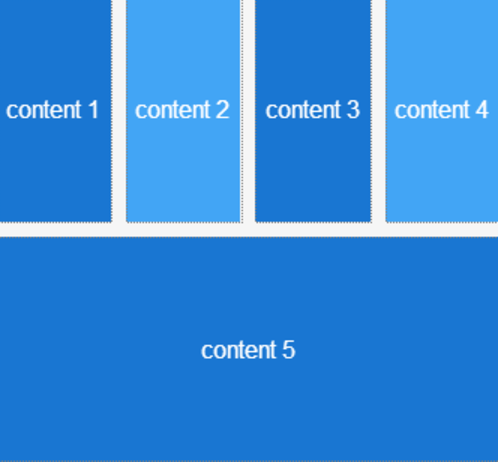
Entities.ColumnBreak.BreakFirst

Input Parameters
| Input Name | Description | Default Value |
|---|---|---|
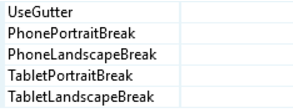
 UseGutter UseGutter |
Creates a space between columns. | True |
| PhonePortraitBreak |
Behavior of the columns in a Phone with Portrait orientation. | BreakNone |
| PhoneLandscapeBreak |
Behavior of the columns in a Phone with Landscape orientation. | BreakNone |
| TabletPortraitBreak |
Behavior of the columns in a Tablet with Portrait orientation. | BreakNone |
| TabletLandscapeBreak |
Behavior of the columns in a Tablet with Landscape orientation. | BreakNone |
Layout and Classes

Samples
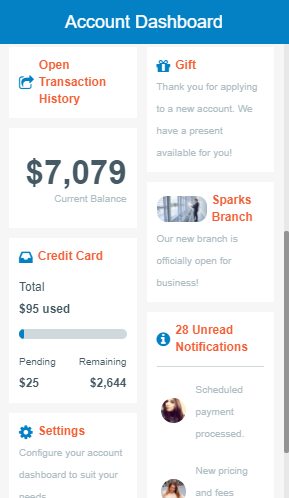
See how the Account Dashboard sample uses the Columns pattern: