Persistent Login
When authenticating the end-users, you can choose to use a persistent login. After logging in for the first time in the application the end-user will not have to provide the credentials again, unless:
- The end-user explicitly logs out through the User_Logout action;
- The persistent login times out because the end-user does not access the application for a certain amount of days.
In Web Applications persistent login will only work if the end-user has enabled the use of cookies in the browser. It keeps independent sessions in different browsers allowing end-users to have different persistent login sessions for the same application in different browsers and devices.
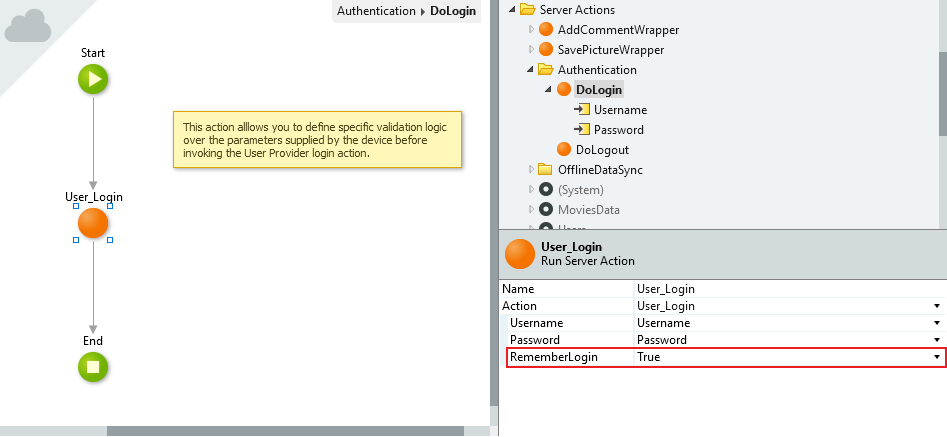
To use persistent login the RememberLogin input from the User_Login action has to be set to True.
The default duration of a persistent login session is 10 days in Web Applications and 30 days in Mobile Applications.%%For Web Applications you can customize this duration by using the supported Forge Component Factory Configuration and changing the Remember Login(days) parameter in the Platform Configurations Tab.%%For Mobile Applications you can customize this duration in Service Center by changing the Max Idle Time parameter for persistent authentication.
For example, when you create a mobile application that uses one of the built-in Application Templates for mobile apps (Phone, Tablet or Universal) the use of persistent login is the default.